How to Pair a Samsung Smart Remote to a TV
Quick Answer
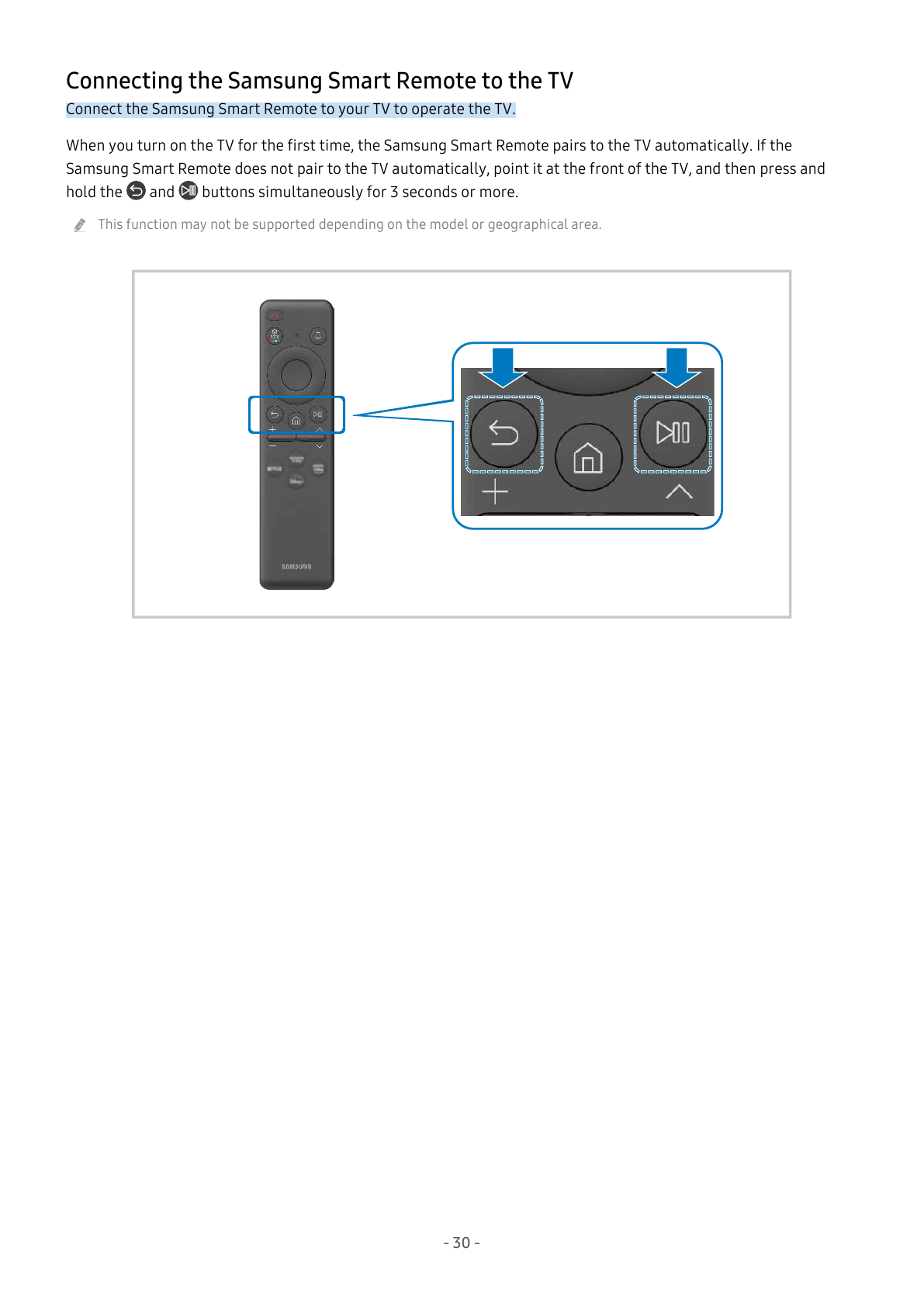
Point the Samsung Smart Remote at the front of the TV then hold Return and Play/Pause together for at least 3 seconds. The Samsung Smart Remote connects to the TV.
Manual Illustration
Supported Connection Methods
- Samsung Smart Remote button pairing.
Before You Start
- Use the Samsung Smart Remote shown for the supported TV, not a universal-remote programming workflow.
- This function may not be supported depending on the model or geographical area.
Method 1
1. Point the Samsung Smart Remote at the front of the TV
Point the Samsung Smart Remote at the front of the TV. The remote is aimed at the TV for pairing.
2. Hold Return and Play/Pause together for at least 3 seconds
Hold Return and Play/Pause together for at least 3 seconds. The Samsung Smart Remote connects to the TV.
Troubleshooting Connection Problems
- If the Samsung Smart Remote does not pair automatically when the TV is first turned on, use the button-pairing procedure.
- Use the Samsung Smart Remote shown for the supported TV, not a universal-remote programming workflow.
Model Notes
This guide is limited to QN65QN90CAFXZA. Other TV models, remote types and menu generations require their own procedure.
Source Information
This independent help article is based on executable procedures extracted from Samsung user manuals for the supported models. It is not an official Samsung support page. Menu and control illustrations are based on the same Samsung user-manual documentation.