How to Charge a Samsung Camera Battery
Quick Answer
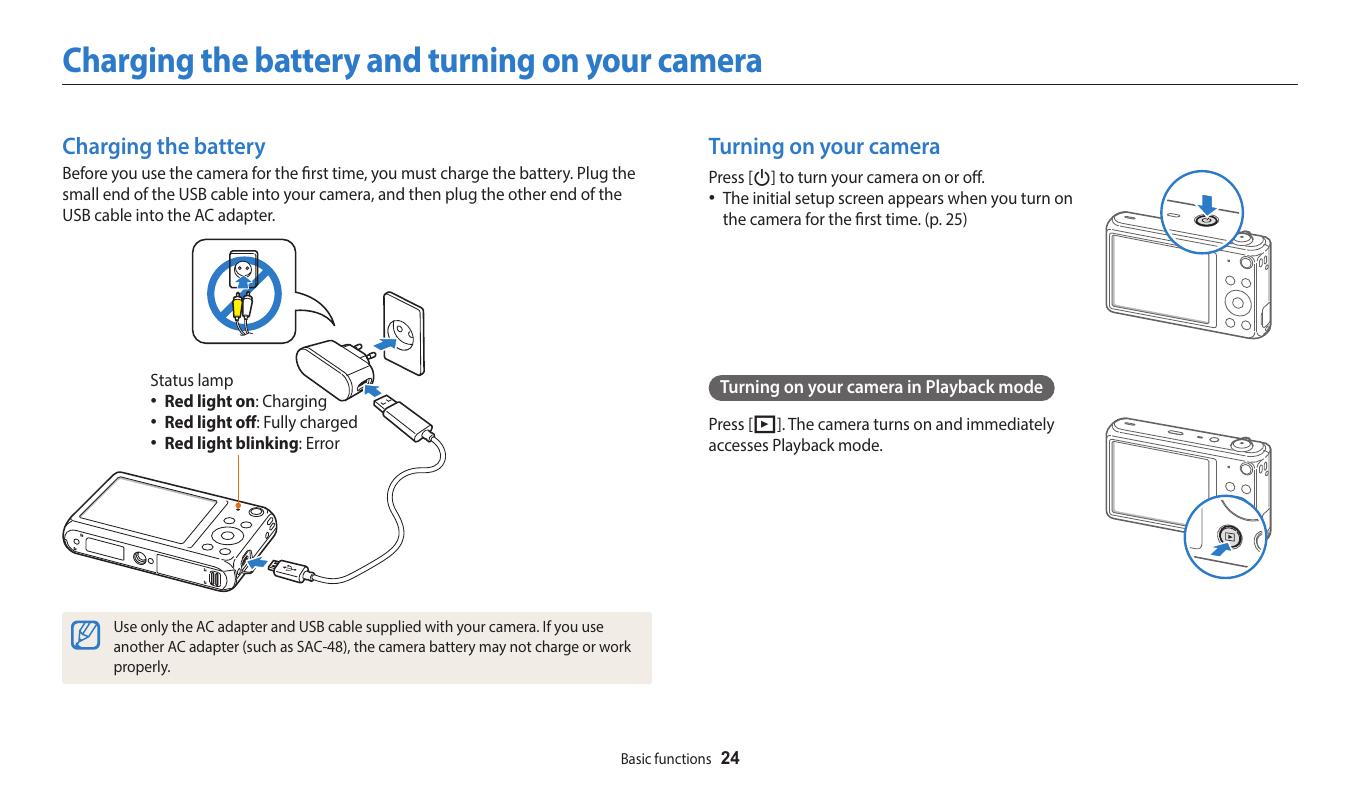
Insert the battery, connect the charging cable, then check the status lamp. The status lamp indicates charging.
Manual Illustration
Steps
1. Insert the battery
Insert the battery. The battery is installed.
2. Connect the USB cable and power source as shown
Connect the charging cable using the camera USB port. Charging begins.
3. Check the status lamp
Check the status lamp. The lamp indicates charging status.
Expected Result
The status lamp indicates charging.
Common Problems
- An incorrectly inserted battery or cable prevents normal charging.
Model Notes
- Samsung DV Series
- Samsung EX Series
- Samsung MV Series
- Samsung NX Series
- Samsung ST Series
- Samsung WB Series
- Common validated models: DV150F, DV300, EX2F, MV900F, NX1
Source Information
This independent help article is based on executable procedures extracted from Samsung user manuals for the supported models. It is not an official Samsung support page. Menu and control illustrations are based on the same Samsung user-manual documentation.