How to Use a COMFEE Countertop Dishwasher: Install, Clean, Drain & Reset Guide
If you recently bought a COMFEE countertop dishwasher, you may be wondering how to install it, how to use it correctly, how to clean the filter, or how to drain leftover water from the machine.
This guide explains how to use a COMFEE countertop dishwasher step by step, based on the official COMFEE dishwasher instruction manual and the basic performance self-checking guide. The manual model shown is for CDC17P0ABB / CDC17P0AWB, a compact dishwasher with a built-in water tank, faucet connection option, drain hose, detergent dispenser, spray arms, filter system, and multiple wash programs.
Quick Answer: How to Use a COMFEE Countertop Dishwasher
To use a COMFEE countertop dishwasher, place it near a grounded outlet, faucet or water source, and sink or bucket for drainage. Connect the drain hose, fill the water tank manually or connect the inlet hose to the faucet, load dishes so the spray arms can rotate freely, add dishwasher detergent, choose a wash program, then press Start/Cancel.
How to Install a COMFEE Countertop Dishwasher
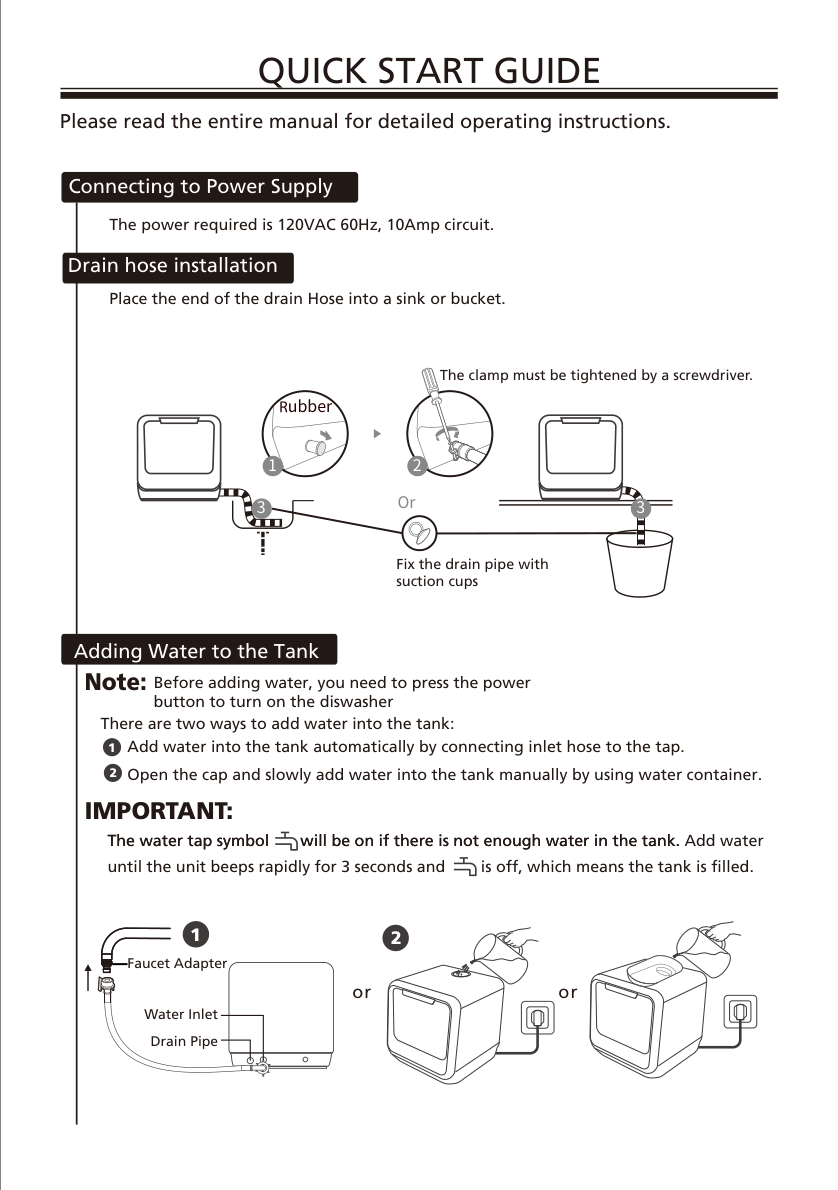
The first step is choosing the right location. Put the dishwasher close to a power socket, a water source, and a drain outlet. A countertop near the sink is usually the easiest place because the drain hose can run directly into the sink or a bucket.
1. Connect the Power Supply
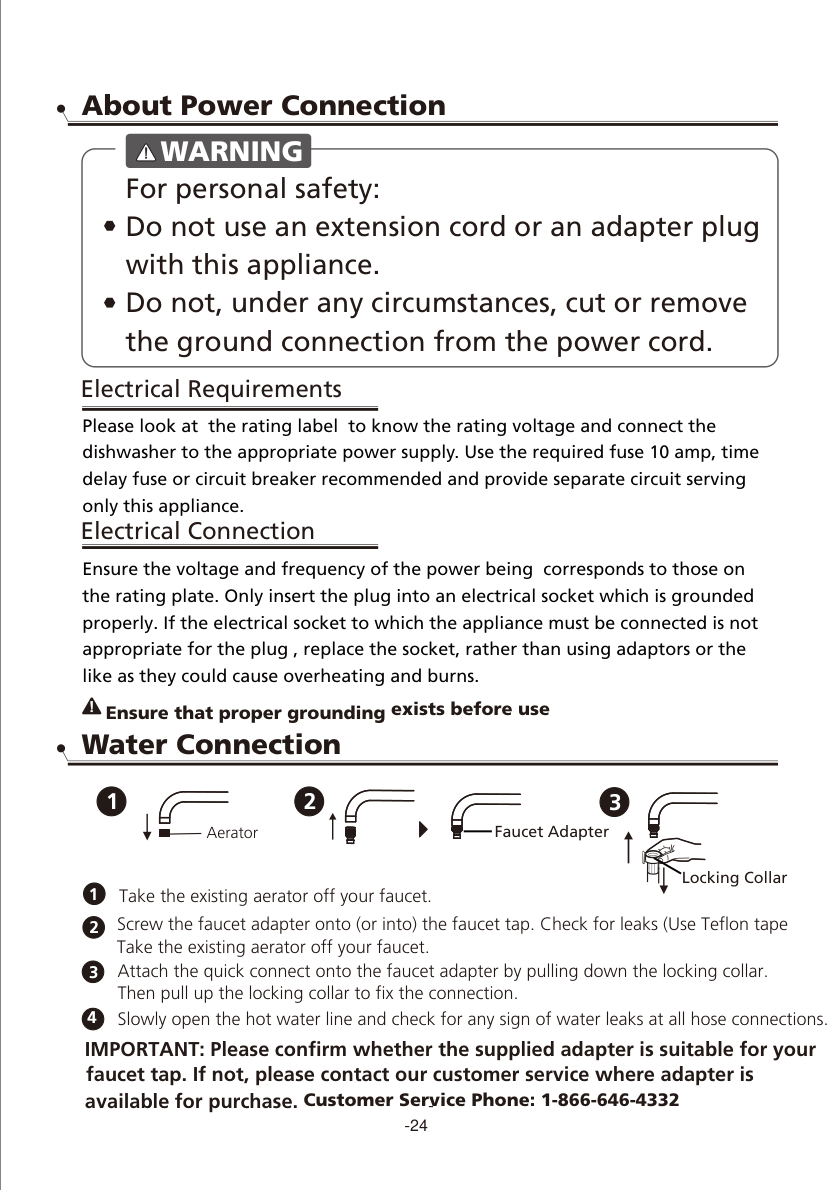
The COMFEE countertop dishwasher uses a 120VAC, 60Hz, 10Amp power supply. Plug it into a properly grounded outlet. Do not use an extension cord or adapter plug. Before installing, cleaning, or maintaining the dishwasher, disconnect electrical power for safety.
2. Connect the Water Inlet or Fill the Tank Manually
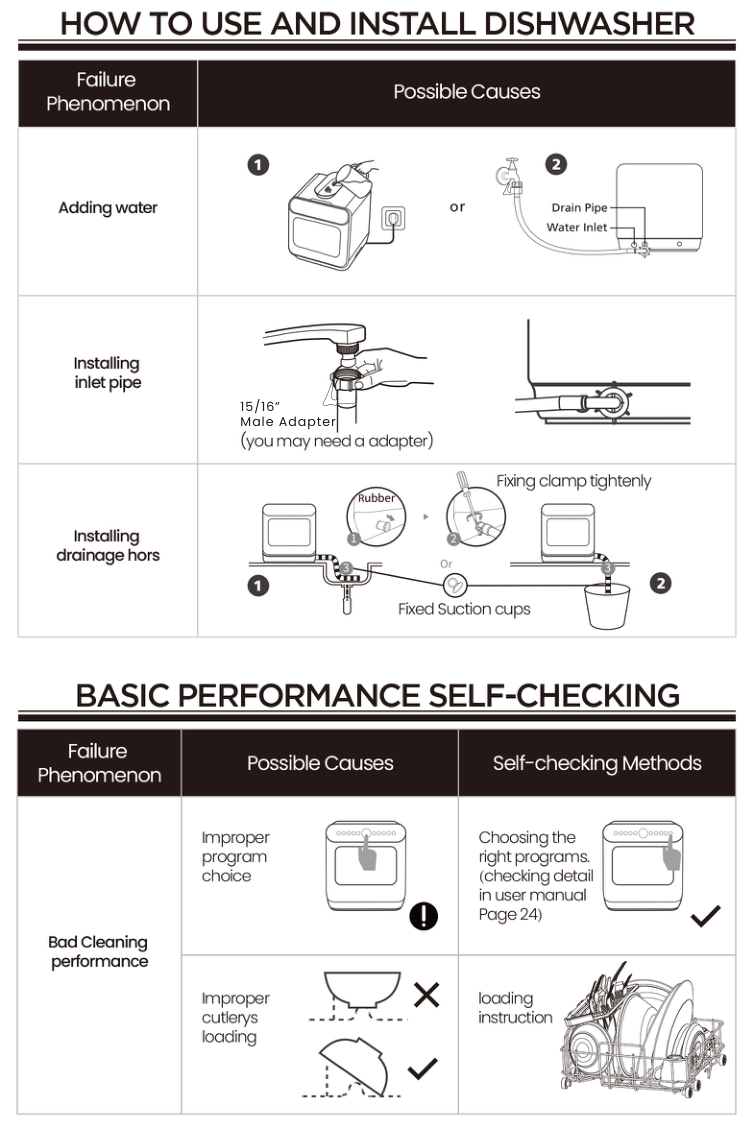
COMFEE countertop dishwashers can usually be filled in two ways:
- Faucet connection: connect the inlet hose to the faucet adapter so the dishwasher can fill automatically.
- Manual filling: open the water tank cap and add water with the water container until the machine indicates the tank is full.
Before adding water manually, turn on the dishwasher. If the water faucet icon is lit, the internal water tank needs more water.
3. Install the Drain Hose
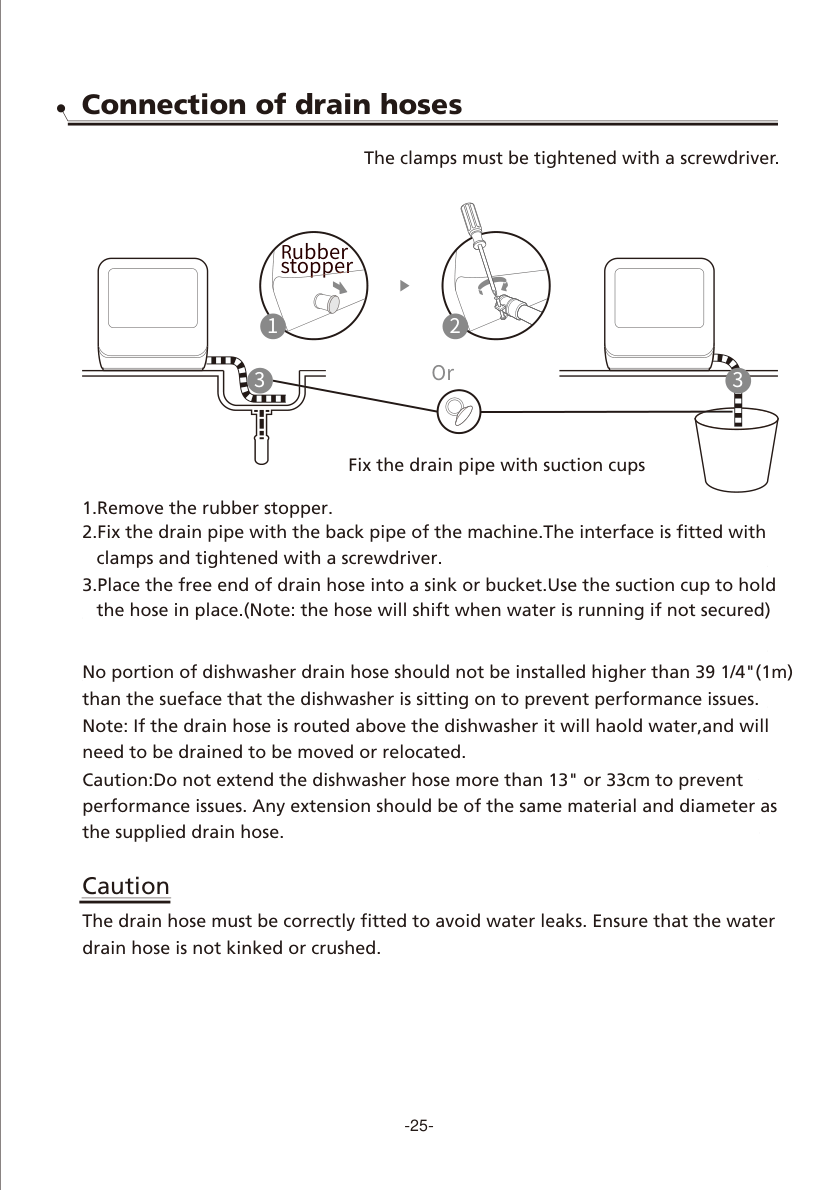
To install the drain hose, remove the rubber stopper, attach the drain pipe to the back of the dishwasher, and tighten the clamp with a screwdriver. Put the free end of the drain hose into a sink or bucket and use the suction cup to hold it in place.
Make sure the hose is not kinked or crushed. The drain hose should not be routed higher than 39 1/4 inches / 1 meter above the surface the dishwasher sits on, or the dishwasher may have drainage problems.
How to Use a COMFEE Countertop Dishwasher
1. Remove Large Food Residue
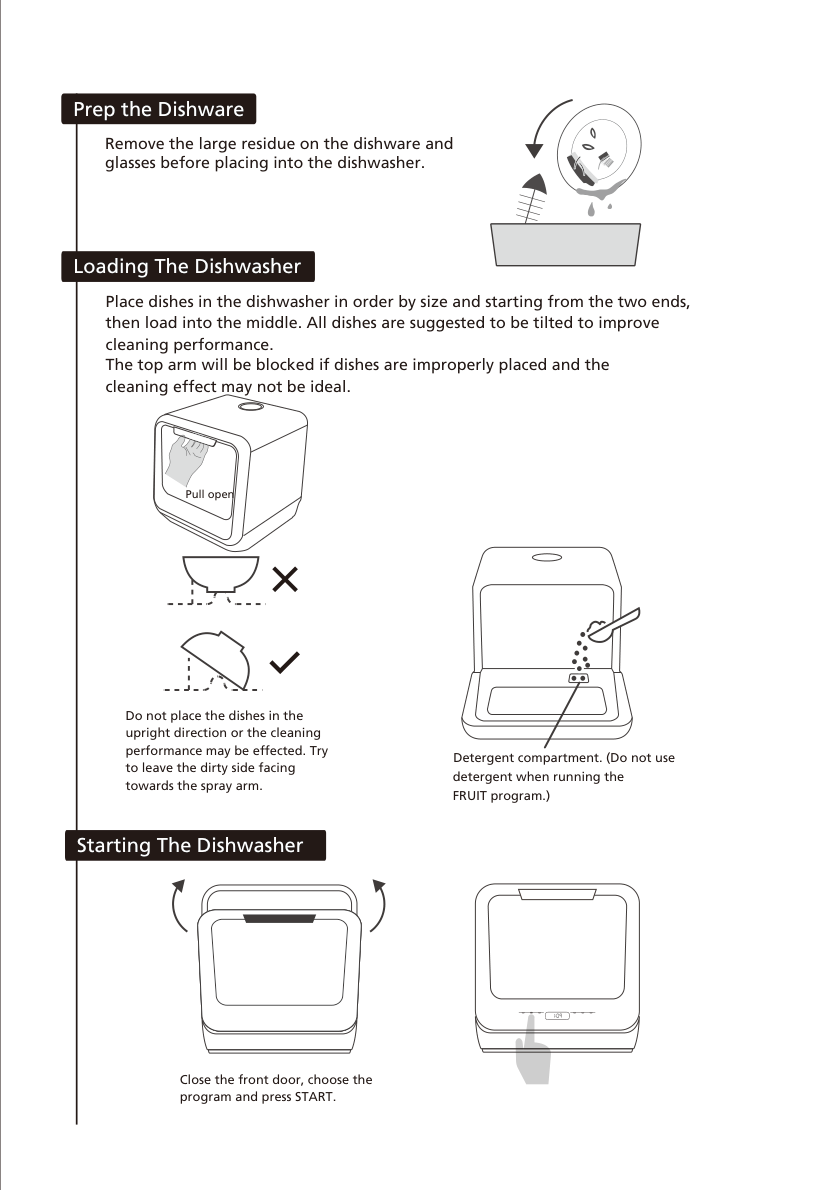
Before loading, scrape off large food particles from plates, bowls, and glasses. You do not need to fully rinse every dish, but large pieces of food should be removed so they do not block the filter or spray arms.
2. Load the Dishwasher Correctly
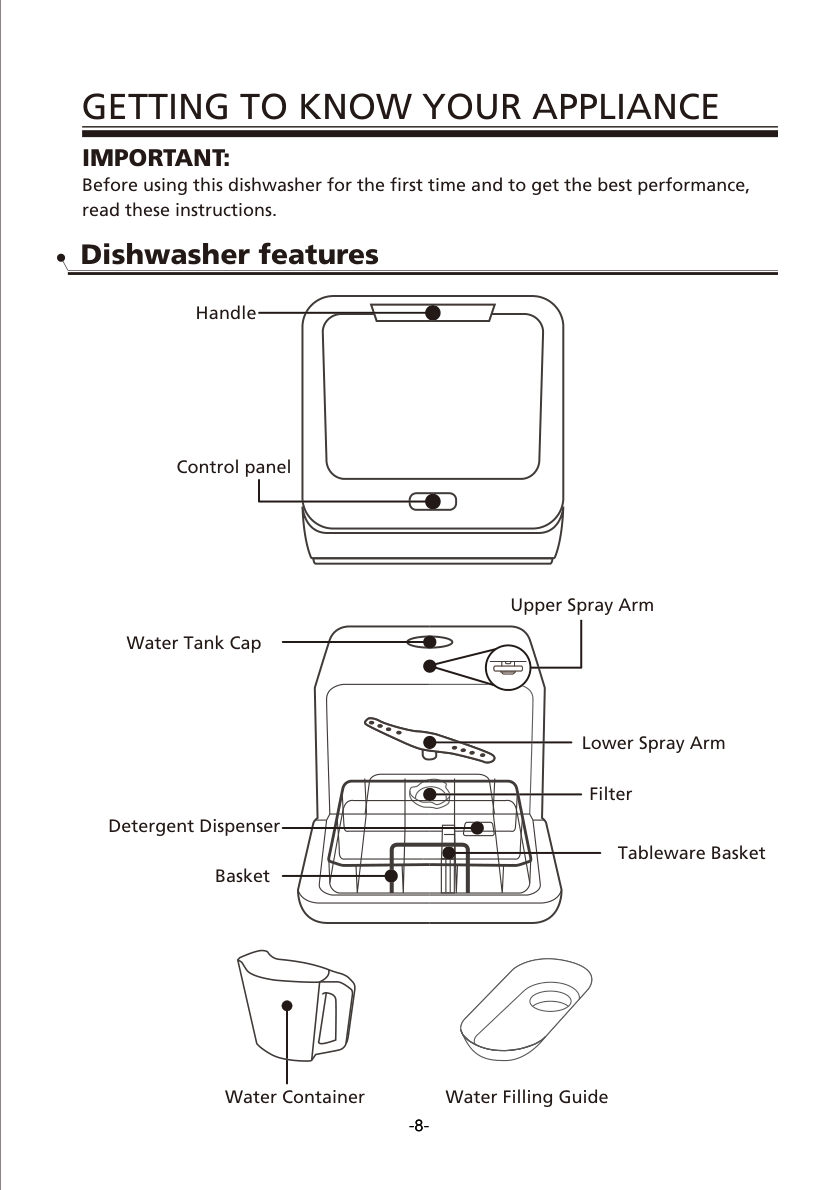
Correct loading is one of the biggest factors affecting cleaning performance. Place cups, bowls, and pans face down. Tilt dishes when possible so water can reach the dirty surface and drain away. Do not overload the basket, and make sure no item blocks the upper or lower spray arm.
3. Add Dishwasher Detergent
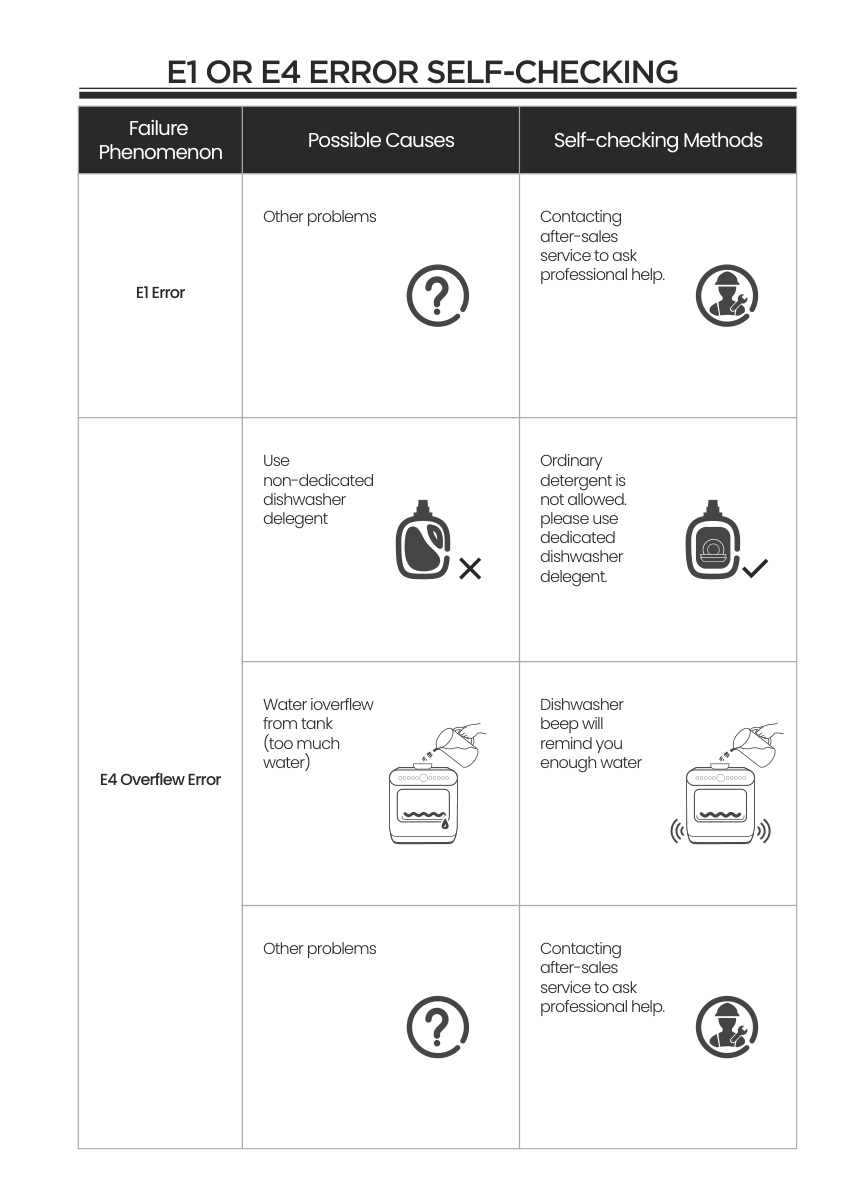
Only use detergent designed for automatic dishwashers. Do not use hand soap, laundry detergent, or normal dish soap because they can create too many suds and may cause cleaning or overflow problems.
For a normal load, about one tablespoon of dishwasher detergent is usually enough. Heavily soiled dishes may need more detergent. Add detergent just before starting the cycle. Do not add detergent when using the Fruit program.
4. Choose the Right Wash Cycle
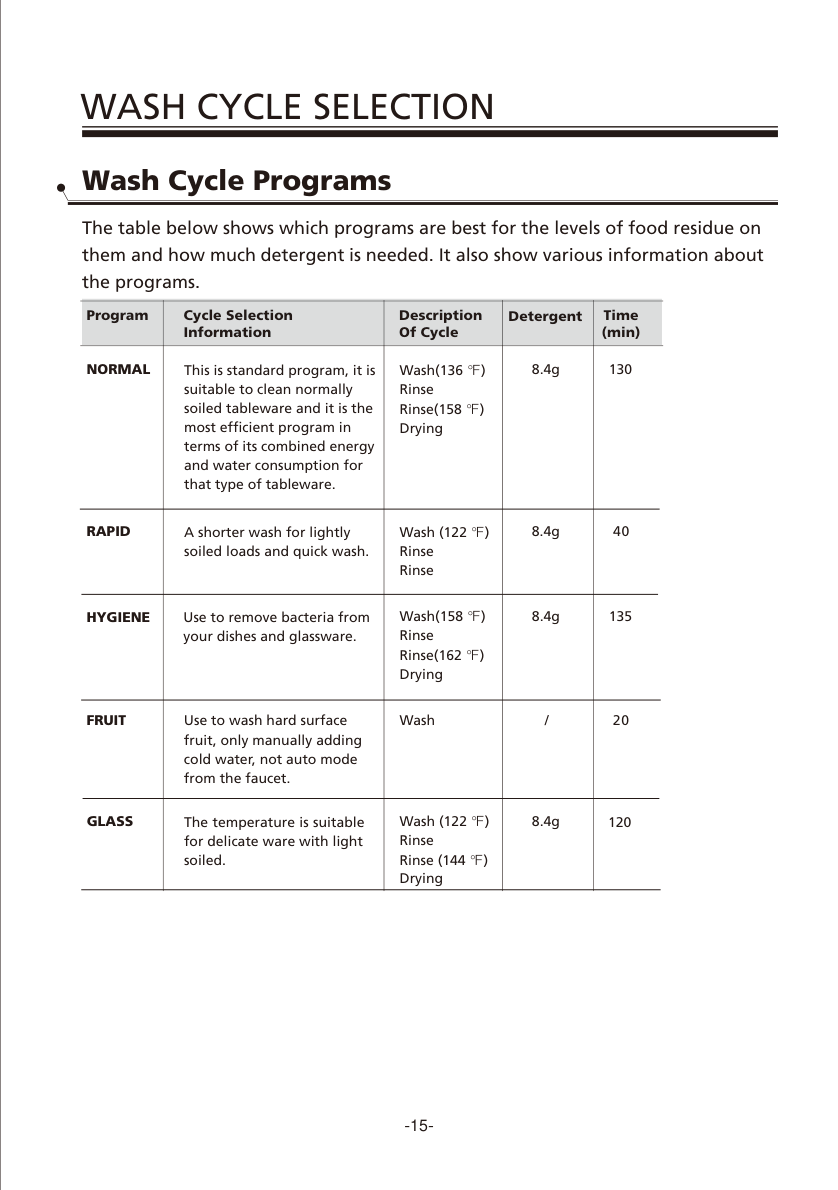
The COMFEE dishwasher has several wash programs. Choose the cycle based on how dirty the dishes are and what type of items you are washing.
| Program | Best For | Approx. Time | Detergent |
|---|---|---|---|
| Normal | Normally soiled dishes | 130 min | Yes |
| Rapid | Lightly soiled or quick wash loads | 40 min | Yes |
| Hygiene | Dishes and glassware that need higher-temperature washing | 135 min | Yes |
| Glass | Delicate lightly soiled items | 120 min | Yes |
| Fruit | Hard-surface fruit | 20 min | No |
5. Start the Dishwasher
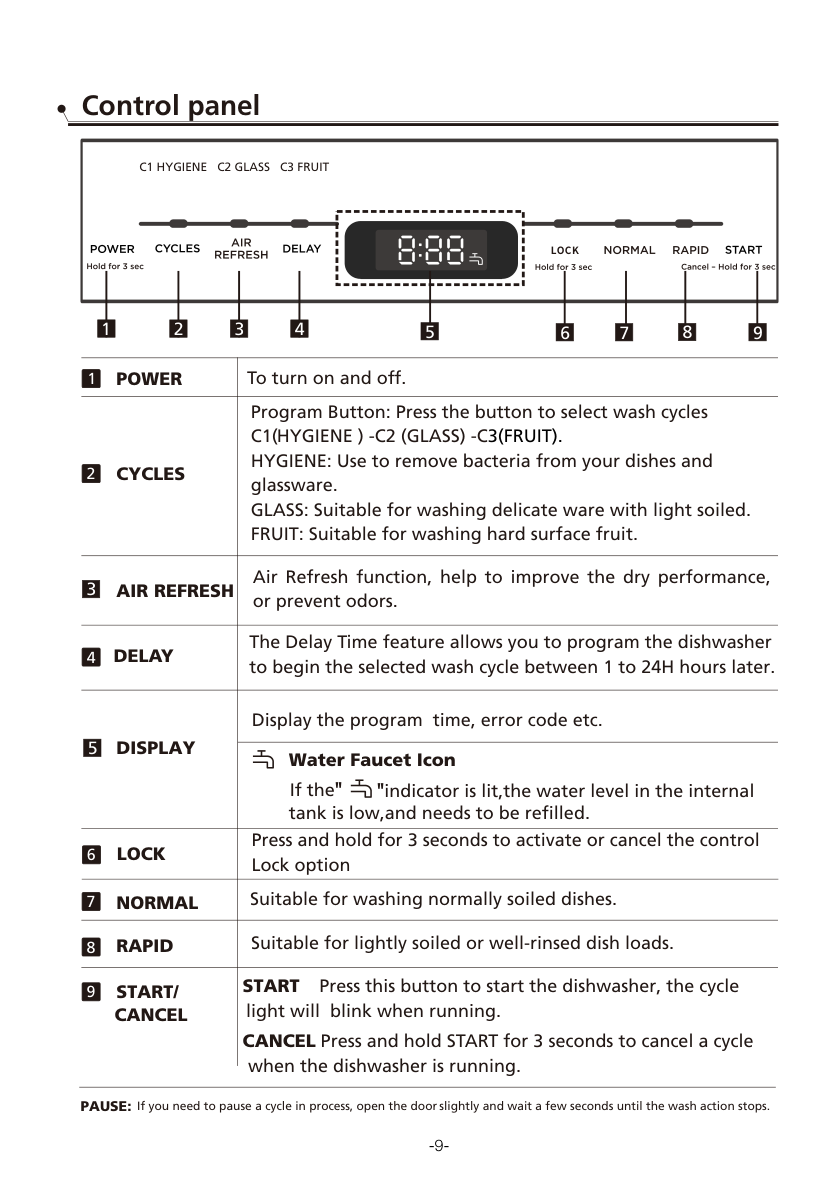
After loading dishes and adding detergent, close the door, press the power button, select the cycle, and press Start/Cancel. If you need to pause the dishwasher, open the door slightly and wait a few seconds until the wash action stops. To resume, close the door and press Start/Cancel.
How to Clean a COMFEE Dishwasher
If you are searching for how to clean COMFEE dishwasher, focus on three areas: the filter, the spray arms, and the interior/door area.
Clean the Filter
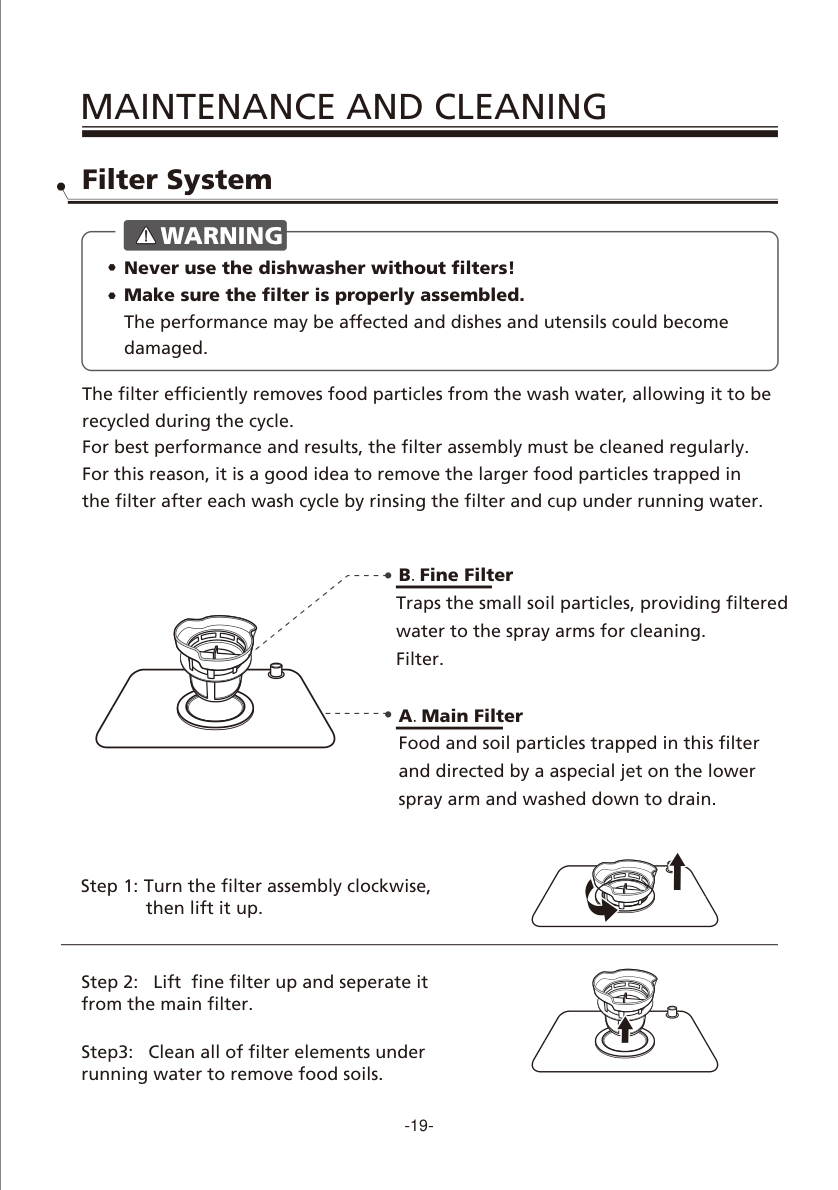
The filter collects food particles during washing. For best performance, rinse the filter regularly under running water. The manual recommends checking the filters for blockages after use and cleaning the full filter assembly about once a week.
- Turn the filter assembly and lift it out.
- Separate the fine filter from the main filter.
- Rinse all filter parts under running water.
- Reinstall the filter correctly before using the dishwasher again.
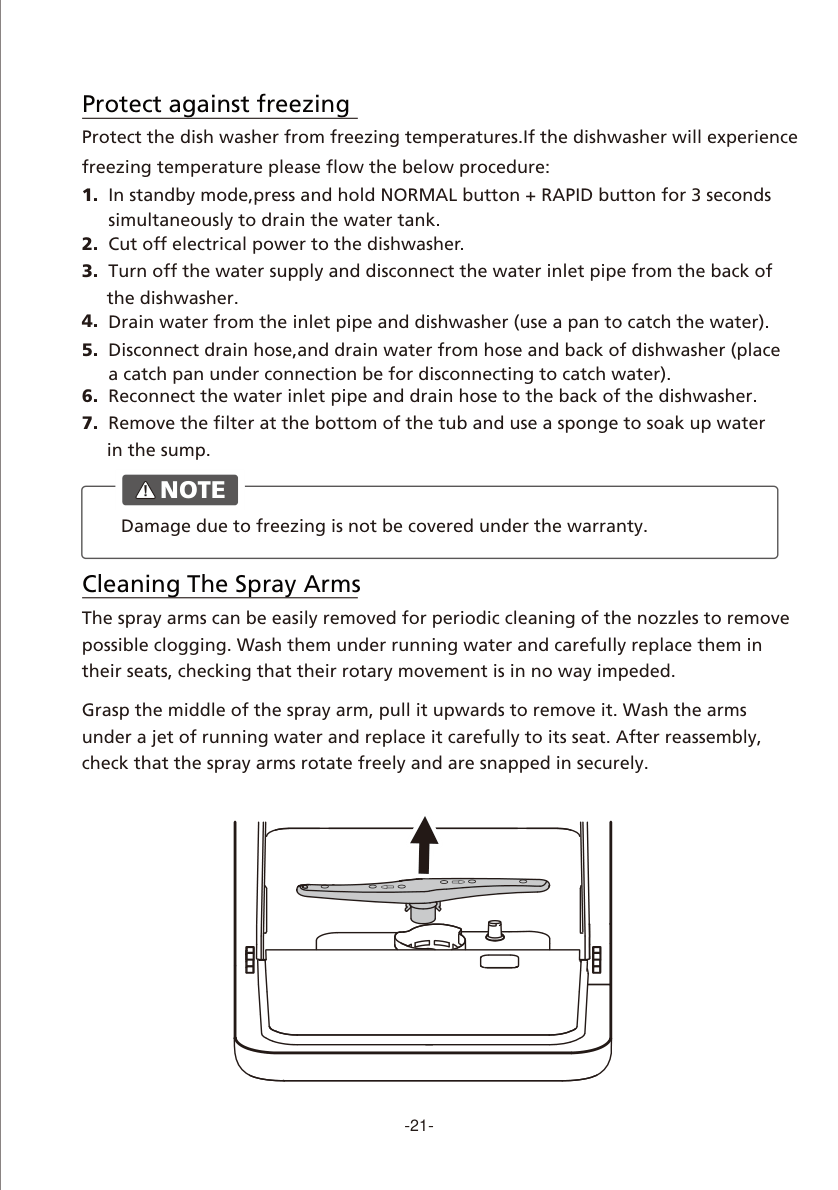
Clean the Spray Arms
If the spray arm holes are blocked, dishes may not get clean. Pull the spray arm upward, rinse it under running water, and reinstall it carefully. After reinstalling, check that the spray arms rotate freely.
Clean the Door and Exterior
Use a soft warm damp cloth around the door edge. Do not use spray cleaner near the door lock or electrical parts. For the exterior and rubber parts, avoid harsh cleaners, abrasive pads, and solvents.
How to Drain a COMFEE Dishwasher
If you are searching for how to drain COMFEE dishwasher, there are two situations: draining the internal tank or fixing water that is not pumping out.
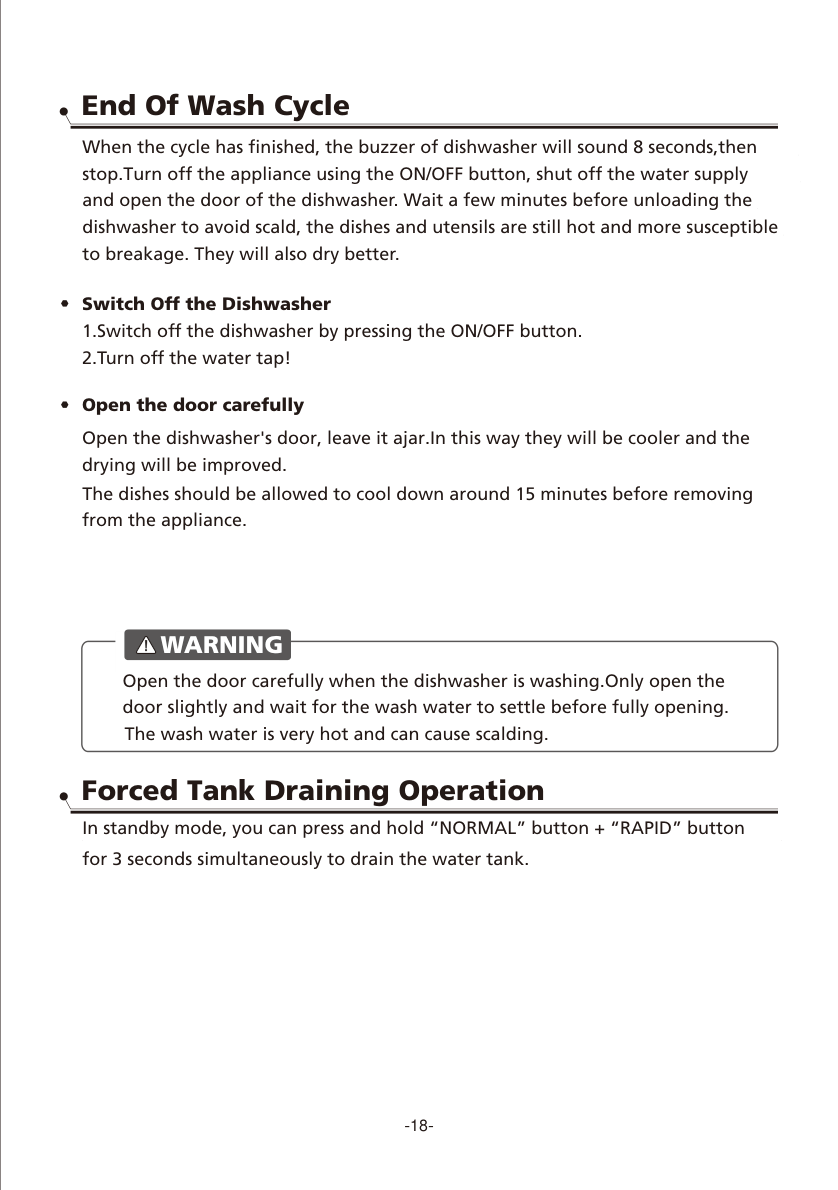
Forced Tank Draining
In standby mode, press and hold the Normal button and Rapid button at the same time for 3 seconds. This starts the forced tank draining operation.
If Water Is Not Pumped Out
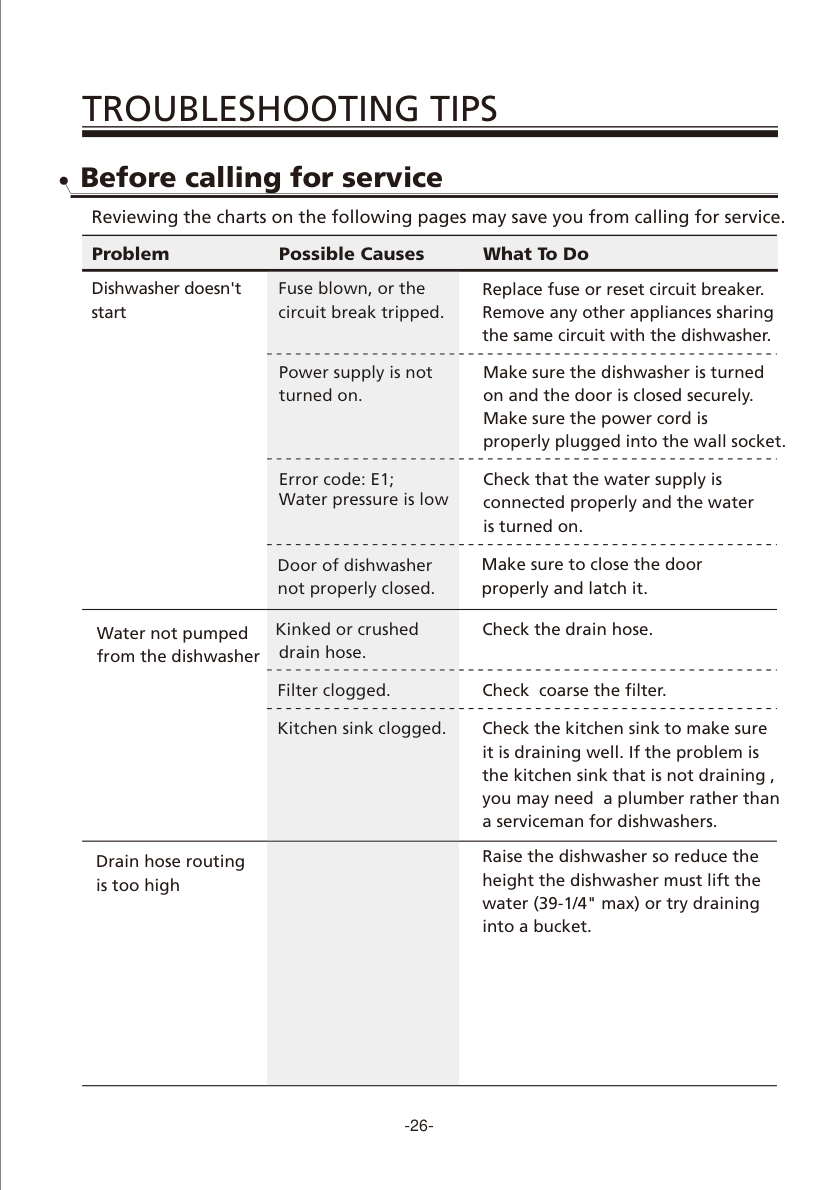
If water remains inside the dishwasher after a cycle, check these common causes:
- The drain hose may be kinked or crushed.
- The filter may be clogged.
- The kitchen sink may be clogged.
- The drain hose may be routed too high.
How to Reset a COMFEE Dishwasher
For the keyword how to reset COMFEE dishwasher, the manual does not show a separate reset button. The reset method is to cancel the current cycle and return the machine to standby mode.
To reset or cancel a COMFEE dishwasher cycle:
- Press and hold Start/Cancel for more than 3 seconds.
- The dishwasher will enter standby mode.
- Press Cycles to choose a new program.
- Press Start/Cancel again to start.
If detergent has already been released, refill the detergent dispenser before starting a new wash cycle.
COMFEE Dishwasher E1 and E4 Error Self-Checking
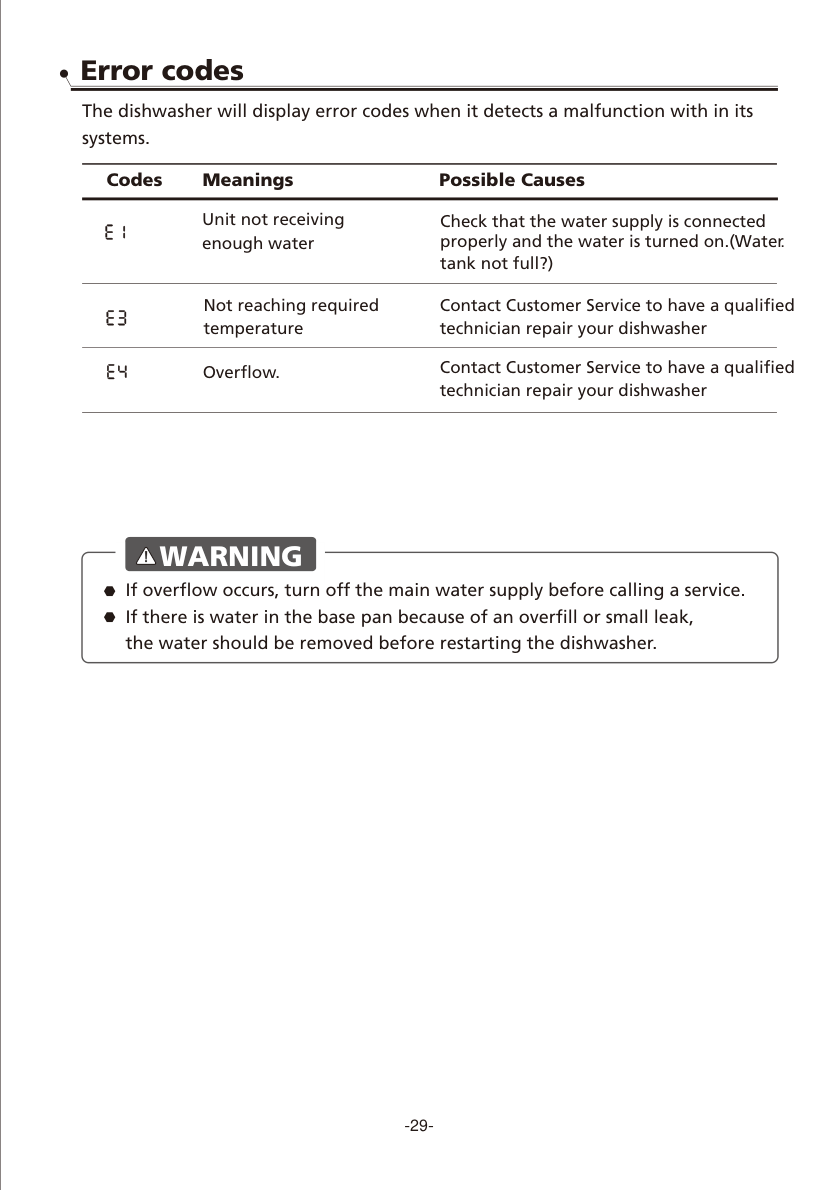
E1 Error
E1 usually means the dishwasher is not receiving enough water. Check whether the faucet is open, the water supply is connected, and the internal tank has enough water.
E4 Error
E4 means overflow. If overflow occurs, turn off the main water supply before calling service. If you manually added too much water, the dishwasher may beep to remind you that enough water has been added.
Bad Cleaning Performance: What to Check
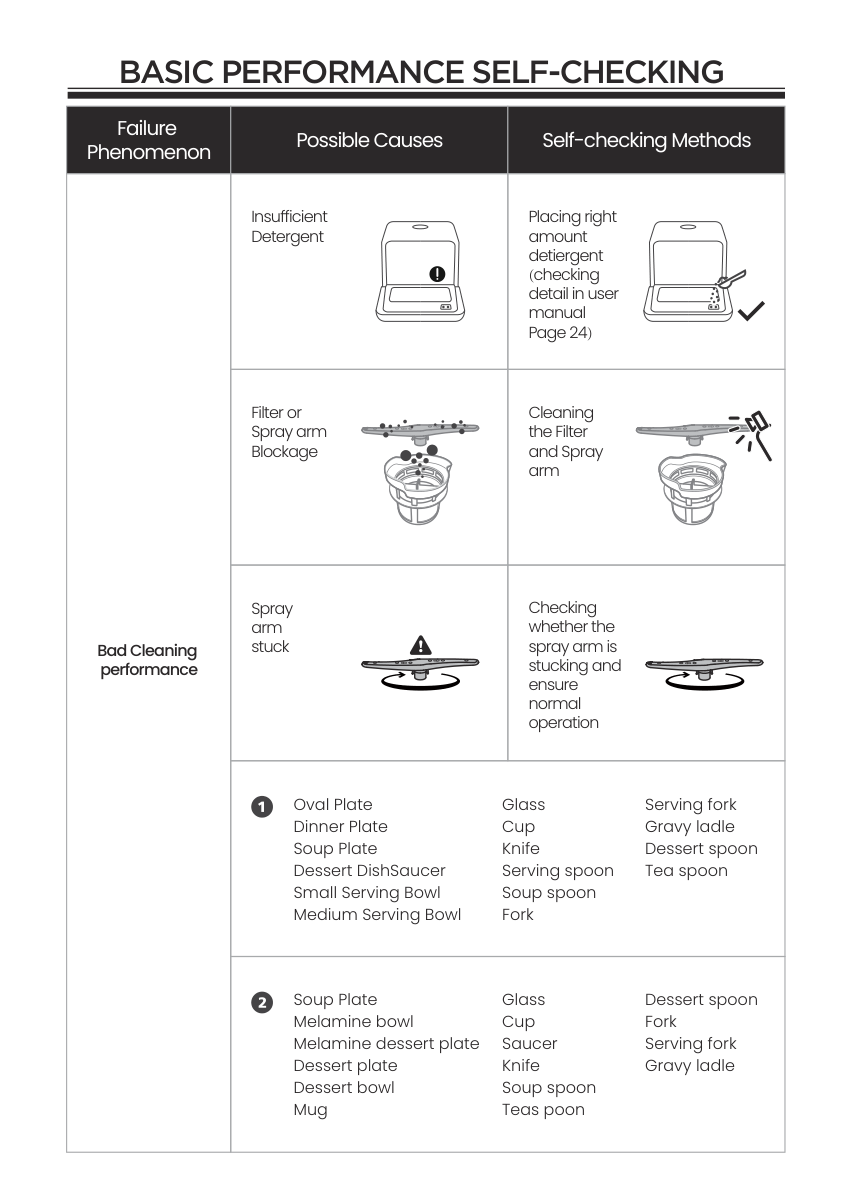
If your COMFEE dishwasher is not cleaning well, check these items first:
- Wrong wash program selected
- Improper dish or cutlery loading
- Too little detergent
- Filter or spray arm blockage
- Spray arm stuck or blocked by dishes
Final Tips
A COMFEE countertop dishwasher is easy to use when the setup is correct. The key points are simple: install the drain hose securely, fill the tank or connect the faucet properly, load dishes without blocking the spray arms, use only dishwasher detergent, clean the filter regularly, and use forced draining before moving or storing the machine.
For most daily problems, start with the simple checks: water supply, drain hose position, filter condition, spray arm movement, detergent type, and loading layout.